NSX-T Reset Accounts with REST API
While troubleshooting a Workload Management deployment, I logged into my NSX-T Manager appliance to see if there were any issues. I immediately noticed several alarms, with a majority of them relating to Password Management. Sure enough, my local accounts all expired. Let’s reset the accounts with REST API!

For the purposes of this example, I will be using Postman to interface with the NSX-T Manager appliance. The first step is to configure the Authorization parameters for authentication. Now in my case, I have LDAP configured so I was able to login.
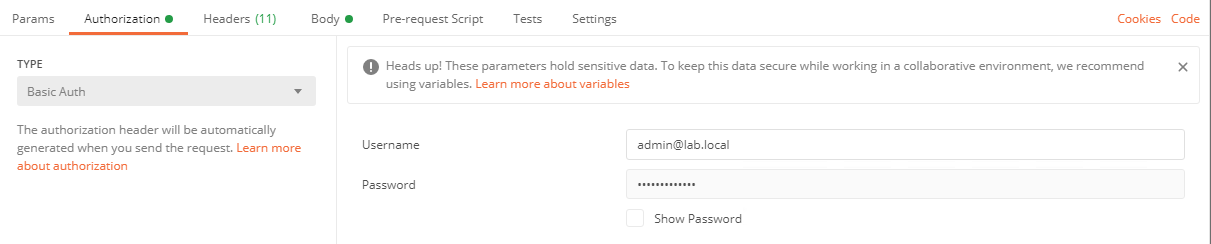
Next, I will configure my request to list out the users on the system with GET https://nsx01.lab.local/api/v1/node/users. This should return something like the following:
{
    "_schema": "NodeUserPropertiesListResult",
    "_self": {
        "href": "/node/users/",
        "rel": "self"
    },
    "result_count": 3,
    "results": [
        {
            "full_name": "root",
            "last_password_change": 95,
            "password_change_frequency": 90,
            "status": "PASSWORD_EXPIRED",
            "userid": 0,
            "username": "root"
        },
        {
            "full_name": "",
            "last_password_change": 95,
            "password_change_frequency": 90,
            "status": "PASSWORD_EXPIRED",
            "userid": 10000,
            "username": "admin"
        },
        {
            "full_name": "",
            "last_password_change": 0,
            "password_change_frequency": 90,
            "status": "ACTIVE",
            "userid": 10002,
            "username": "audit"
        }
    ]
}
Alright, all three local accounts are expired! Good times. I’m going to start with the “audit” account. From the above example that it’s userid 10002.
Next I create a new PUT request. But first, I need to update the “Body” tab with the following with json code. Be sure to adjust for your passwords of course:
{
    "old_password": "RWC_]Pph,6x_z\-3u",
    "password": "k;(Ykz-H%NY}>U9U!xa4"
}
And the request: PUT https://nsx01.lab.local/api/v1/node/users/10002.
Once the request completes, you should see the following:
{
    "full_name": "",
    "last_password_change": 0,
    "password_change_frequency": 90,
    "status": "ACTIVE",
    "userid": 10002,
    "username": "audit"
}
So far so good! Status has changed from “PASSWORD_EXPIRED” to “ACTIVE”! And a test by logging into the NSX-T Manager UI:
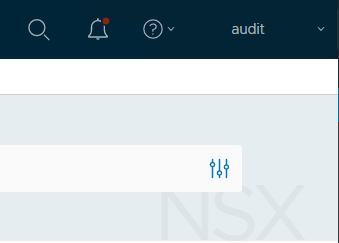
Great success! Now it’s time to rinse and repeat for the other expired accounts! You can check out the full NSX-T REST API guide here.